Spitting Test
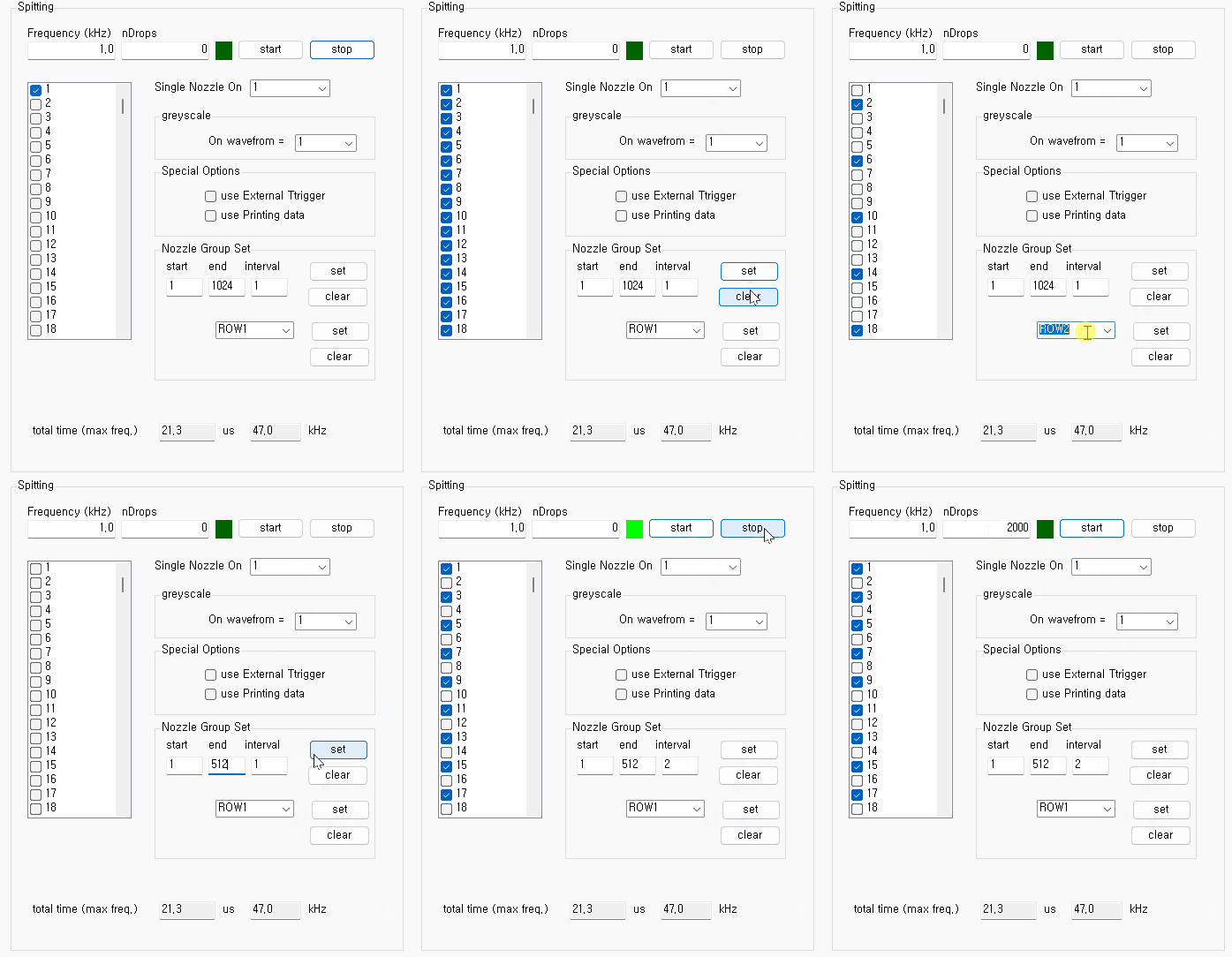
RDriver has a trigger generator for spitting test.
-
select nozzles for firing.
- "Single Nozzle On" can turn on only one nozzle.
- "Nozzle Group Set" can select multiple nozzles easily by start/end/interval or printhead rows.
- set "Frequency(kHz)" in kHz values.
-
set "nDrops"
- "0" means infinite nDrops. You must click "Stop" manually after "Start".
-
A finite nDrops value can be entered manually
(1 ~ 1e6).
After clicking "Start", RDriver automatically stops when the specified nDrops count is reached.
You can check whether spitting has finished by calling the isSpittingFinished() function.
-
"On Waveform" is set to "1" by
default.
It can be used to specify the color code for turning on nozzles. -
"Special Options
-
When "use External Trigger" is checked,
external trigger signal (generated by EncoderLED Module) is
used as the trigger signal for spitting.
1. check this.
2. set "Frequency" as any value like 1.0.
3. set "nDrops" as "0".
4. click "start".
5. wait the external triggers
6. click "stop" to finish.
-
When "use Printing data" is checked, spitting
emulates the printing.
1. write image data
2. check "use Printing data"
3. set "Frequency" and "nDrops". Where nDrops is the pixel count.
4. click "start".
-
When "use External Trigger" is checked,
external trigger signal (generated by EncoderLED Module) is
used as the trigger signal for spitting.