Initialization of RD_SG1024
Enter the IP address and channel number of the printing controller
and click "INIT" to initialize the connection.
Automatically detects the driver type, and displays it in the
detected device type field.
After successful initialization, waveform settings can be configured
for each channel.
Editing the waveform settings allows for precise control over the
ink ejection process, enabling optimization of print quality and
performance.
Click "download head" to set all the configured waveform settings to
the printhead driver.
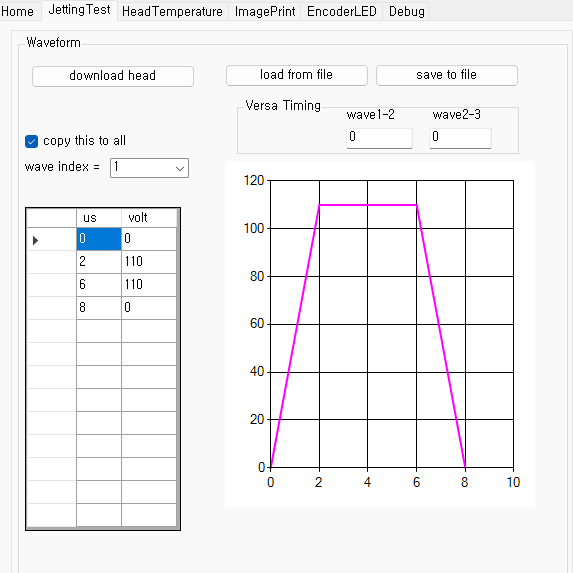
RD_SG1024_V8 provides 8 independently programmable waveform
channels.
Each channel is assigned to a corresponding row of the printhead.
If you checked the "copy this to all" option and click "download
head", the settings of the current channel will be copied to all
other channels.